
The shift from chatbots to task-executing agents
The landscape of enterprise software is undergoing a structural change in 2026. We are moving past the era of conversational chatbots that only retrieve information. The new standard is autonomous AI agents capable of executing complex, multi-step tasks without human intervention.
Gartner predicts that 40% of enterprise applications will feature task-specific AI agents by the end of 2026, a sharp rise from less than 5% in 2025. This surge is not driven by better language models, but by the closure of the "action gap." Older systems were designed to answer questions; new architectures are built to perform actions.
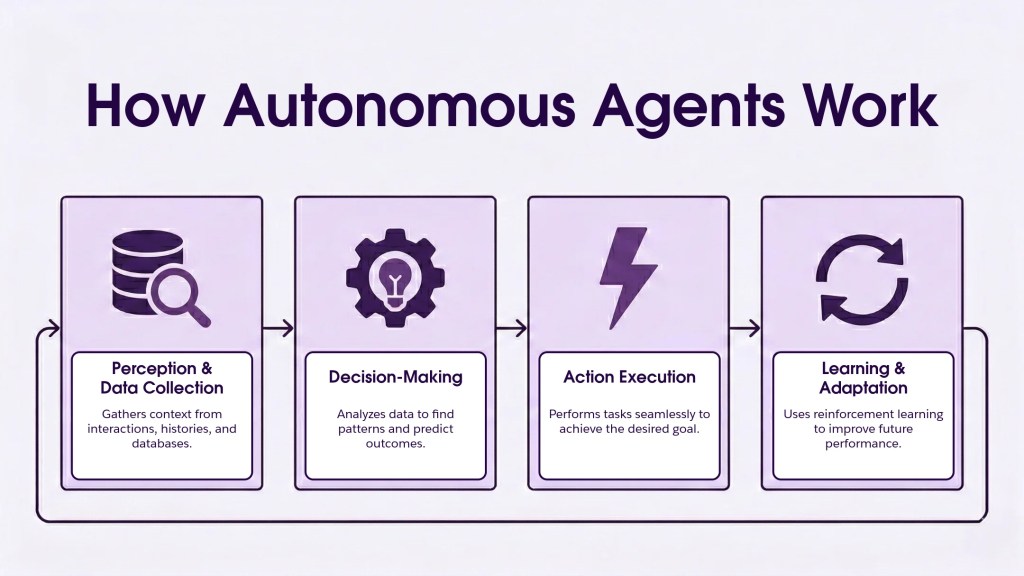
An autonomous agent does not wait for a prompt to complete a single response. It breaks down a high-level goal—such as "reconcile this month's expenses"—into a sequence of operations. It queries databases, validates data against rules, and writes the final report. The shift is from information retrieval to task execution.
This change redefines how developers build software. You are no longer just designing a user interface for a query; you are orchestrating a workflow that operates in the background. The value of an agent is measured by its ability to close the loop: starting a task and delivering a finished result, not just a suggested next step.
Define the agent's objective and scope
Most autonomous AI agents fail because they try to be too smart. They are handed broad, open-ended prompts and expected to navigate complex workflows without guardrails. This approach creates "super agents" that hallucinate, loop, or drift off task. The fix is specialization. You must design the agent to own a single, measurable task and stay in its lane.
Start by writing a one-sentence objective. It should specify the input, the action, and the desired output. For example, instead of "Handle customer support," use "Extract order details from email attachments and update the CRM status to 'Shipped.'" This clarity prevents the model from wasting tokens on irrelevant reasoning or attempting actions outside its permission set.
Scope is equally important. Define what the agent is not allowed to do. If it processes data, can it delete records? If it communicates, can it send emails to external domains? Explicitly excluding high-risk actions reduces the attack surface and keeps the agent predictable. Think of the agent as a specialized worker, not a general manager. It needs a clear desk, a specific tool, and a defined shift.
When the objective is tight, the agent’s performance becomes measurable. You can track success rates, latency, and error types with precision. This data is essential for iterating on the prompt and refining the tool use. Broad objectives make debugging impossible; narrow scopes make optimization straightforward. By 2026, the most effective autonomous workforce will be composed of many focused agents, not a few vague ones [src-serp-3].
Avoid the demo trap. Many projects look impressive in a sandbox where the agent can "figure it out." But in production, ambiguity is expensive. The gap between a working demo and a reliable production agent is often bridged by strict scoping [src-serp-7]. If you can’t describe the agent’s job in a sentence, it’s not ready to build.
Select the right model and harness
Choosing an autonomous AI agent’s brain and backbone requires balancing two competing needs: the depth of reasoning for complex problem-solving and the speed required for high-volume tasks. You cannot simply pick the largest model; you must match the model’s architecture to the agent’s specific operational loop.
Match reasoning to task complexity
Not every agent needs to write code or debug production servers. For simple, linear workflows like data extraction or email triage, smaller, specialized models often outperform massive generalists in both latency and cost. Reserve heavy reasoning models for tasks that require multi-step planning, ambiguity resolution, or creative synthesis. This distinction prevents resource exhaustion and keeps your agent responsive.
Deploy an agentic harness
A raw model is just a text predictor. To act autonomously, it needs an agentic harness—a framework that provides memory, tool use, and orchestration logic. Platforms like LangChain or Microsoft’s AutoGen bridge the gap between static prompts and dynamic action. They enable the agent to call APIs, read files, and maintain context across long conversations, effectively turning a chatbot into a worker.
# Example harness configuration for tool use
agent = Agent(
    model="claude-3.5-sonnet",
    tools=["search_web", "code_interpreter"],
    memory_store=VectorStore()
)
The harness handles the loop: the model decides which tool to use, the harness executes it, and the result feeds back into the model’s context. This cycle allows the agent to focus for hours on complex objectives, moving beyond prototype status into production-grade autonomy.
Connect tools and external APIs
An autonomous AI agent is only as capable as the tools it can reach. To act on the world, the agent needs to talk to databases, call software APIs, and execute commands. This connection layer transforms a chatbot into a worker that can actually get things done.
The process involves three main steps: defining the tool schema, managing the authentication, and testing the action loop.

Start by creating a clear definition for every tool your agent will use. This includes the name, description, and input parameters. The LLM uses this schema to decide when and how to call a tool. For example, if you are building an agent that checks inventory, define a check_stock function with a product_id parameter. Make the descriptions specific so the model knows exactly what to pass.

Secure the keys and tokens your agent needs to access external services. Never hardcode secrets in your codebase. Instead, use environment variables or a secret manager to pass credentials to the agent at runtime. This ensures that sensitive data like API keys or database passwords remain protected while allowing the agent to authenticate with third-party services.
Run the agent through a series of test cases to verify it can successfully call tools and handle responses. Check for common failures like malformed JSON or permission errors. Autonomous agents operate independently, so they must be able to recover from minor tool failures without crashing. Log every tool call to debug issues later.
Once connected, the agent can plan and execute actions without continuous human input. This is the core of autonomy. By giving your model the right tools and secure access, you enable it to solve complex, multi-step problems on its own.
Orchestrate multi-agent workflows
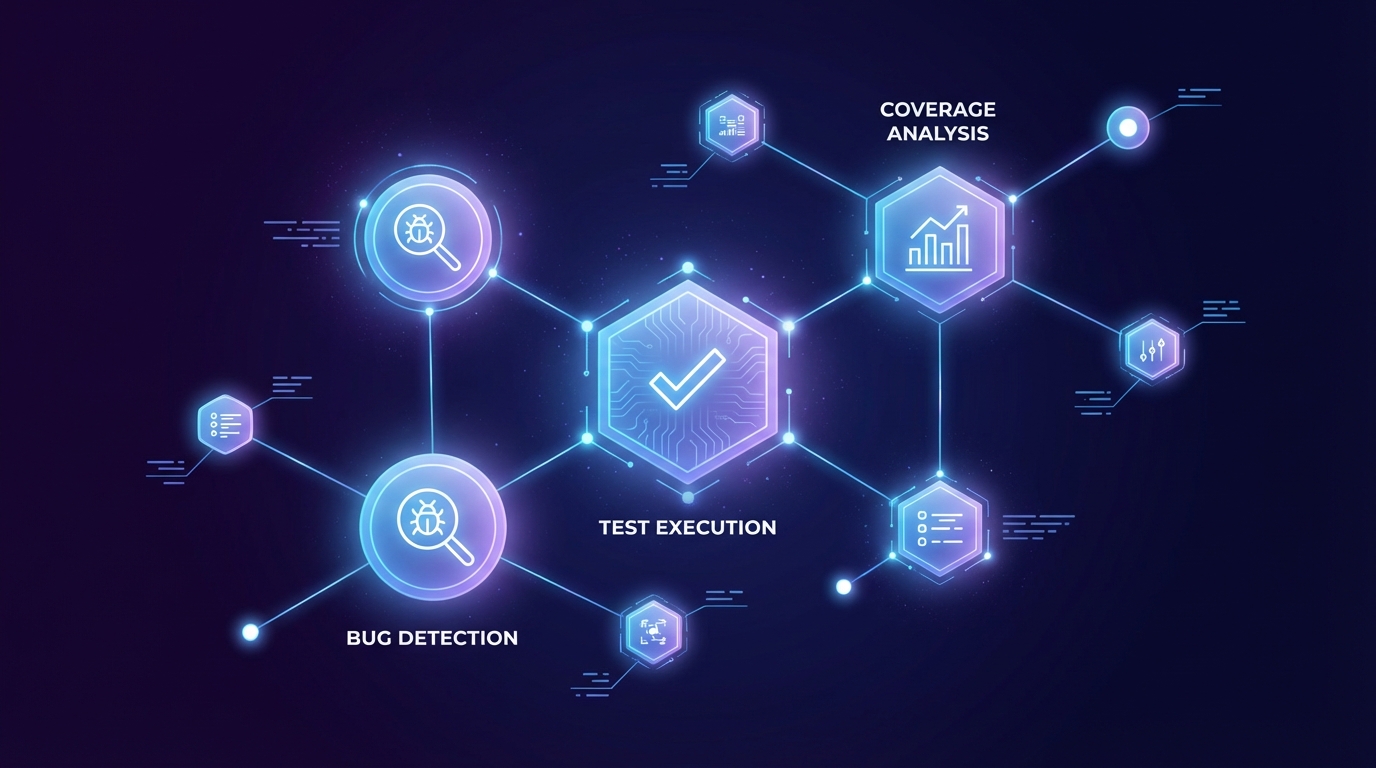
Autonomous AI Agents works best as a clear sequence: define the constraint, compare the realistic options, test the tradeoff, and choose the path with the fewest hidden costs. That order keeps the advice usable instead of decorative. After each step, pause long enough to check whether the recommendation still fits the reader's actual situation. If it depends on perfect timing, unusual access, or a best-case budget, include a simpler fallback.

Implement guardrails and fallbacks
Even the most sophisticated autonomous AI agents need boundaries. Without them, agents can drift into unintended workflows, hallucinate critical data, or trigger costly errors in production systems. The goal isn't to stifle autonomy, but to create a safety net that catches failures before they cascade.
Define human-in-the-loop checkpoints
Identify high-stakes actions that require human approval. These include financial transactions, data deletion, or sending external communications. Configure your agent to pause and request explicit confirmation before executing these steps. This doesn't slow down the entire workflow; it only intervenes where the risk is highest.
Set confidence thresholds
Agents should not act on uncertain data. Define a minimum confidence score for any decision. If the agent's confidence falls below this threshold, it should either ask for clarification or escalate to a human operator. This prevents "hallucination-driven" actions based on weak signals.
Build error handling and kill switches
Every autonomous agent needs a way to stop. Implement a global "kill switch" that can immediately halt all agent activities if abnormal behavior is detected. Additionally, design specific error handlers for common failure modes, such as API timeouts or invalid responses. These handlers should log the error and attempt a safe recovery or fallback, rather than letting the agent spin indefinitely.
Critical: Always define a fallback path for when the agent exceeds confidence thresholds.
By layering these guards, you ensure that your autonomous workforce remains reliable, predictable, and safe, even when things go wrong.
Test and monitor in production
Most autonomous AI agents fail to reach production because they are only validated in controlled demos. To bridge this gap, you need a rigorous validation phase that simulates real-world chaos before full deployment. This section outlines the essential steps to verify performance, control costs, and track reliability.
1. Implement Trace Logging
Before launching, integrate comprehensive trace logging to capture every token, decision, and tool call. Tools like LangSmith or Arize Phoenix allow you to visualize the agent’s reasoning path. This visibility is critical for debugging hallucinations or logic errors that only appear under specific input conditions.
2. Monitor Cost Per Task
Autonomous agents can spiral in cost if loops go unchecked. Set up real-time monitoring for token usage and API spend per successful task. Define a maximum cost threshold for each task type; if an agent exceeds this limit without achieving its goal, it should trigger a fallback or halt. This prevents budget blowouts during high-volume operations.
3. Track Success Rate Metrics
Define clear success criteria for each agent workflow. Use automated evaluation frameworks to score outputs against ground truth or human-reviewed benchmarks. Aim for a consistent success rate above 90% across diverse test cases before considering the agent ready for production. Regularly review these metrics to identify drift or degradation in performance over time.
-
Trace logs capture full decision paths
-
Cost per task stays within budget limits
-
Success rate exceeds 90% on test suite
-
Fallback mechanisms tested and verified
Common questions about autonomous agents
Autonomous AI agents operate independently once given an objective, planning and executing actions without continuous human input [src-2]. This shift from passive chatbots to active doers has moved production-grade autonomy from prototype to reality [src-4]. Below are specific answers to the most common questions about building and orchestrating these systems.
How autonomous are AI agents in 2026?
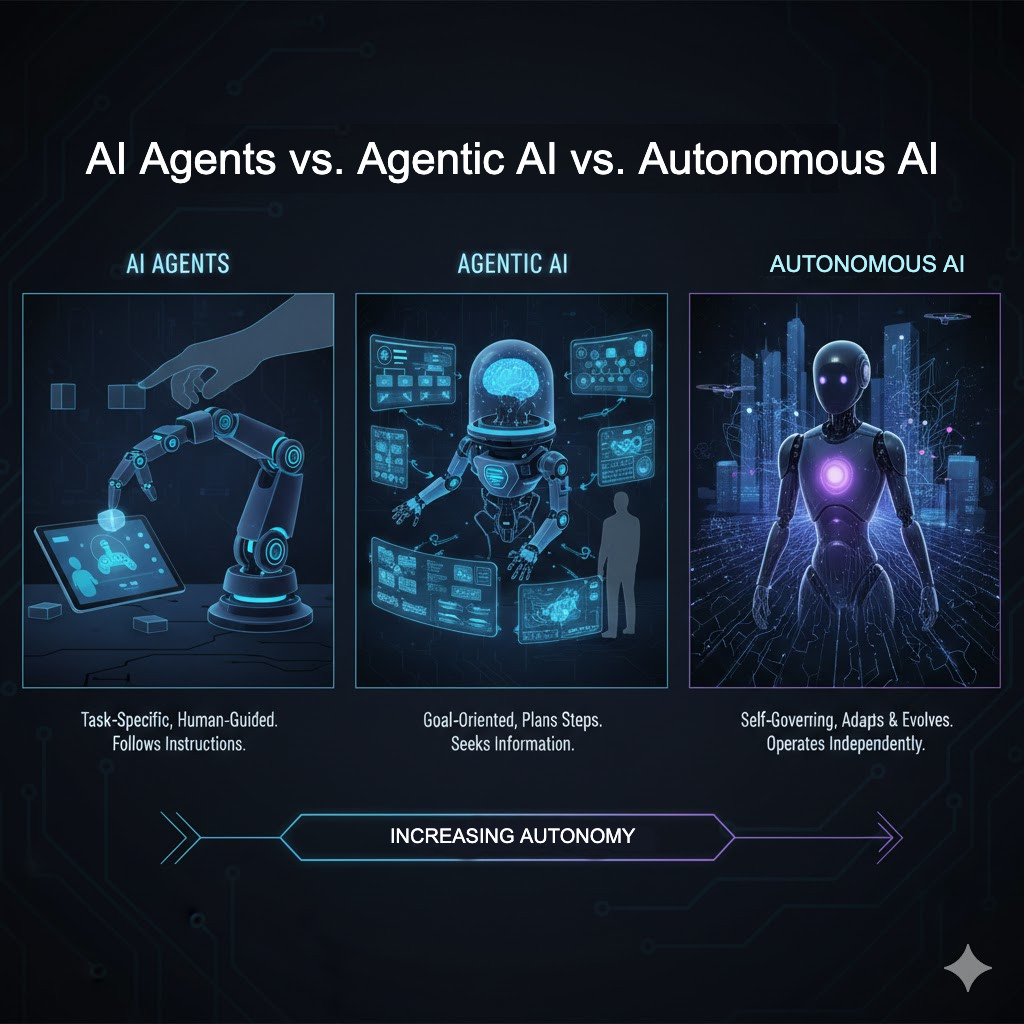
Autonomy exists on a spectrum. "Super agents" that handle every task end-to-end are often unreliable. Instead, 2026 focuses on task-specific agents that stay in their lanes [src-3]. Gartner predicts that 40% of enterprise applications will include these task-specific agents by 2026, up from less than 5% in 2025 [src-1]. This means most agents you build will handle defined workflows rather than entire business functions.
What is the cost of running autonomous agents?
Costs depend on token usage and orchestration complexity. Fully autonomous agents can focus for hours, increasing API calls [src-4]. To manage costs, design agents with clear boundaries and use caching for repetitive tasks. Monitor token consumption per workflow step to identify inefficiencies early.
Are autonomous agents secure?
Security is a primary concern when agents execute actions. Use least-privilege access controls so agents can only interact with necessary tools. Implement human-in-the-loop checkpoints for high-risk operations. Regular audits of agent actions help detect drift or unexpected behavior before it causes damage.
No comments yet. Be the first to share your thoughts!