
What makes an agent autonomous
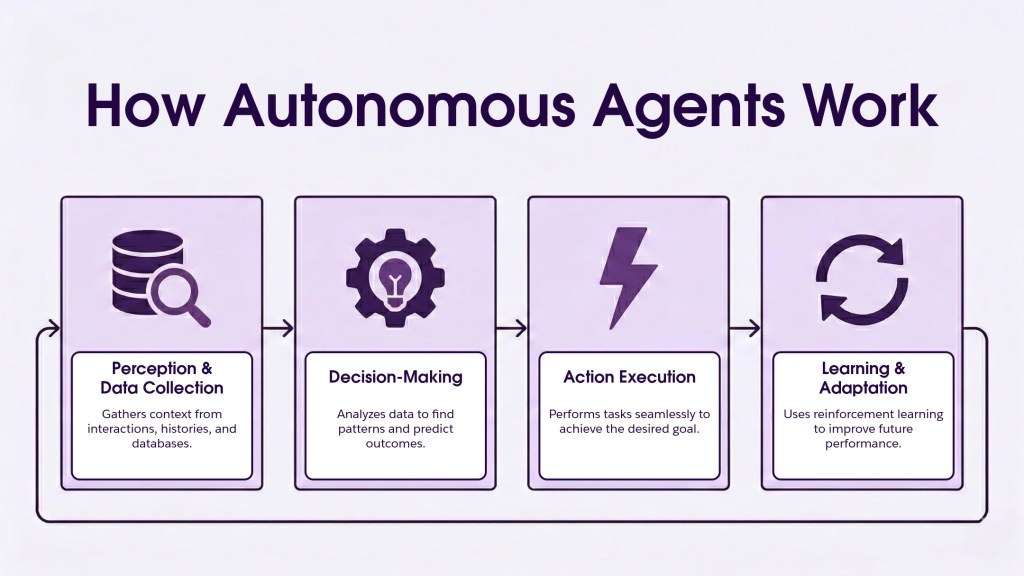
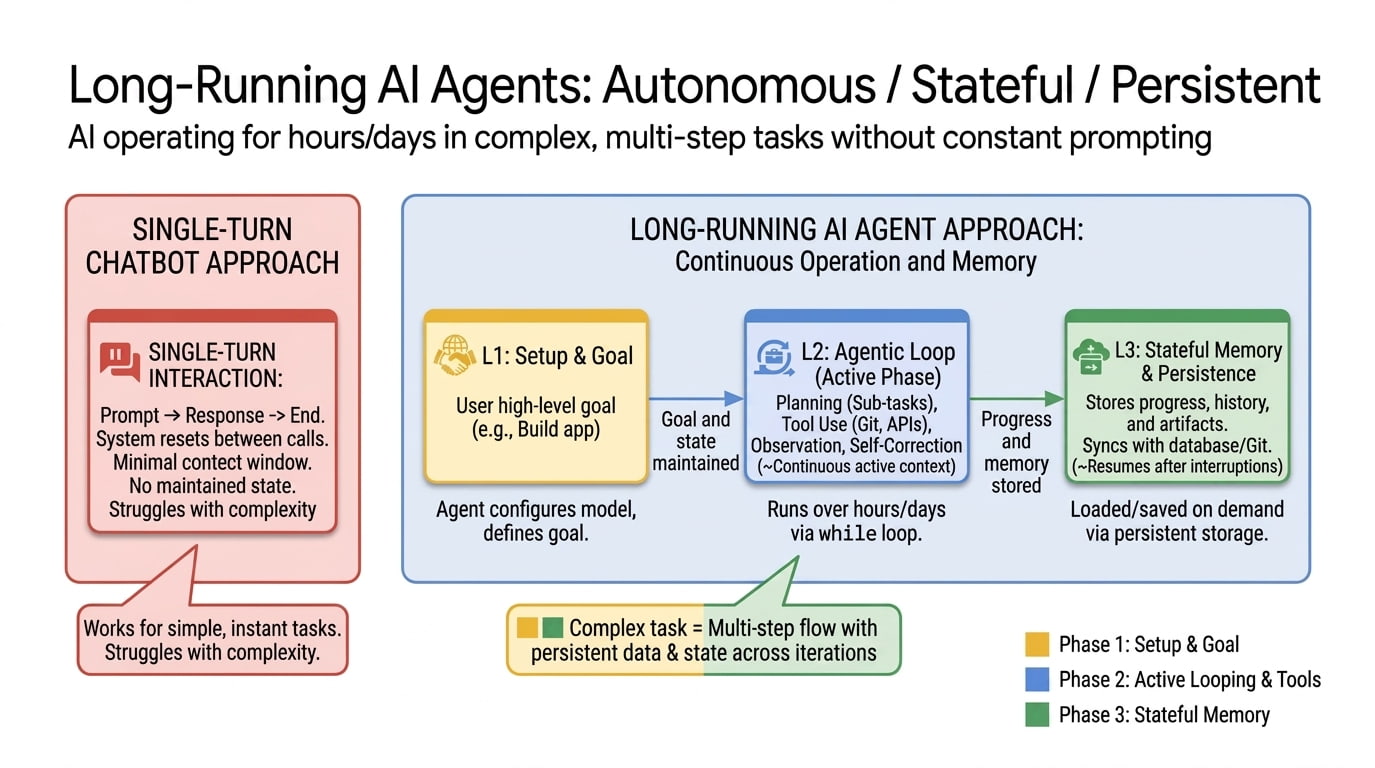
Autonomous AI agents are distinct from the generative AI chatbots you likely already use. While standard LLMs predict the next token in a sequence based on your prompt, an autonomous agent predicts the next action. It doesn't just answer a question; it executes a workflow to solve it.
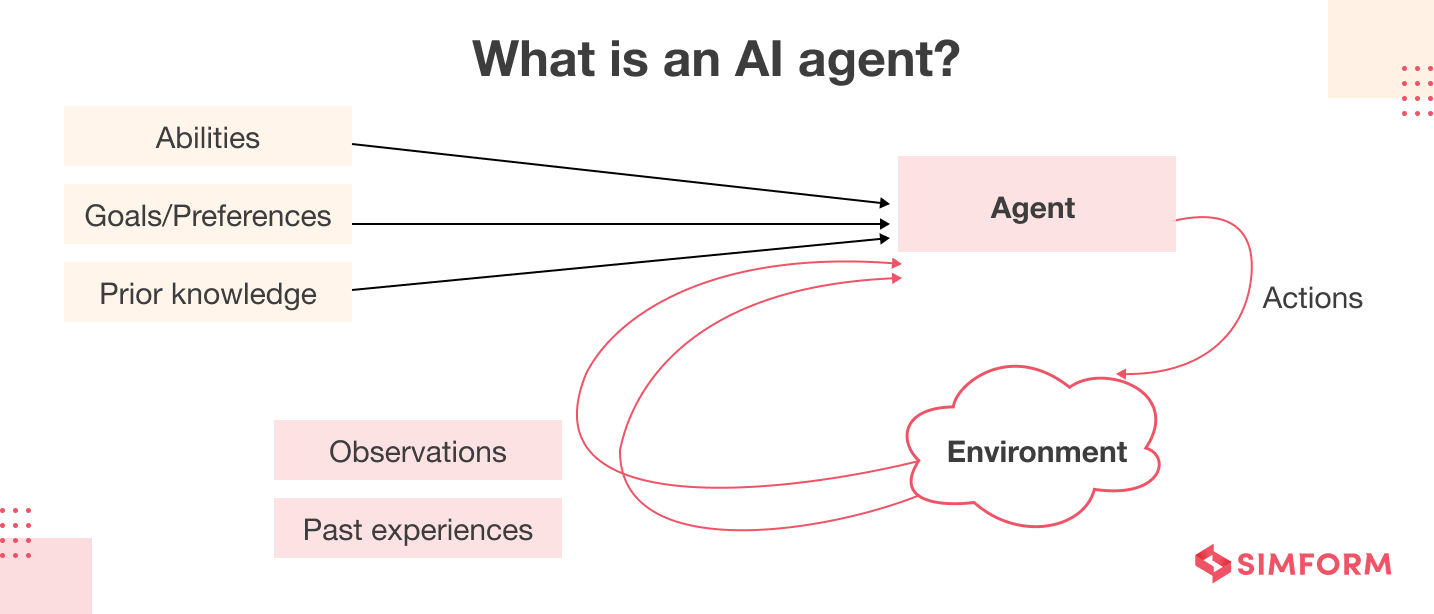
An autonomous agent is defined by its ability to perceive its environment, reason about a specific objective, and take action with limited ongoing supervision. Think of a chatbot as a knowledgeable consultant who waits for you to ask the right questions. An autonomous agent is more like a junior associate: you give it a goal, and it figures out the steps, tools, and sequence required to get the job done.
This autonomy comes from three core capabilities that separate agents from simple text generators:
- Reasoning: The agent breaks down a high-level goal into sub-tasks. If you ask it to "plan a team offsite," it reasons that it needs to find dates, check availability, and compare venues.
- Planning: It creates a sequence of steps to achieve the goal. It knows that checking weather forecasts must happen before booking outdoor activities.
- Tool Use: It reaches out to external systems to execute tasks. It doesn't just write an email draft; it actually sends the invitation through your calendar API or updates the CRM record.
In practice, this means an agent can book a flight, update a database, or scrape a website for data without you clicking through each interface. The agent handles the multi-step coordination, acting as the bridge between your intent and the digital tools that need to be operated.
Core components of agentic systems
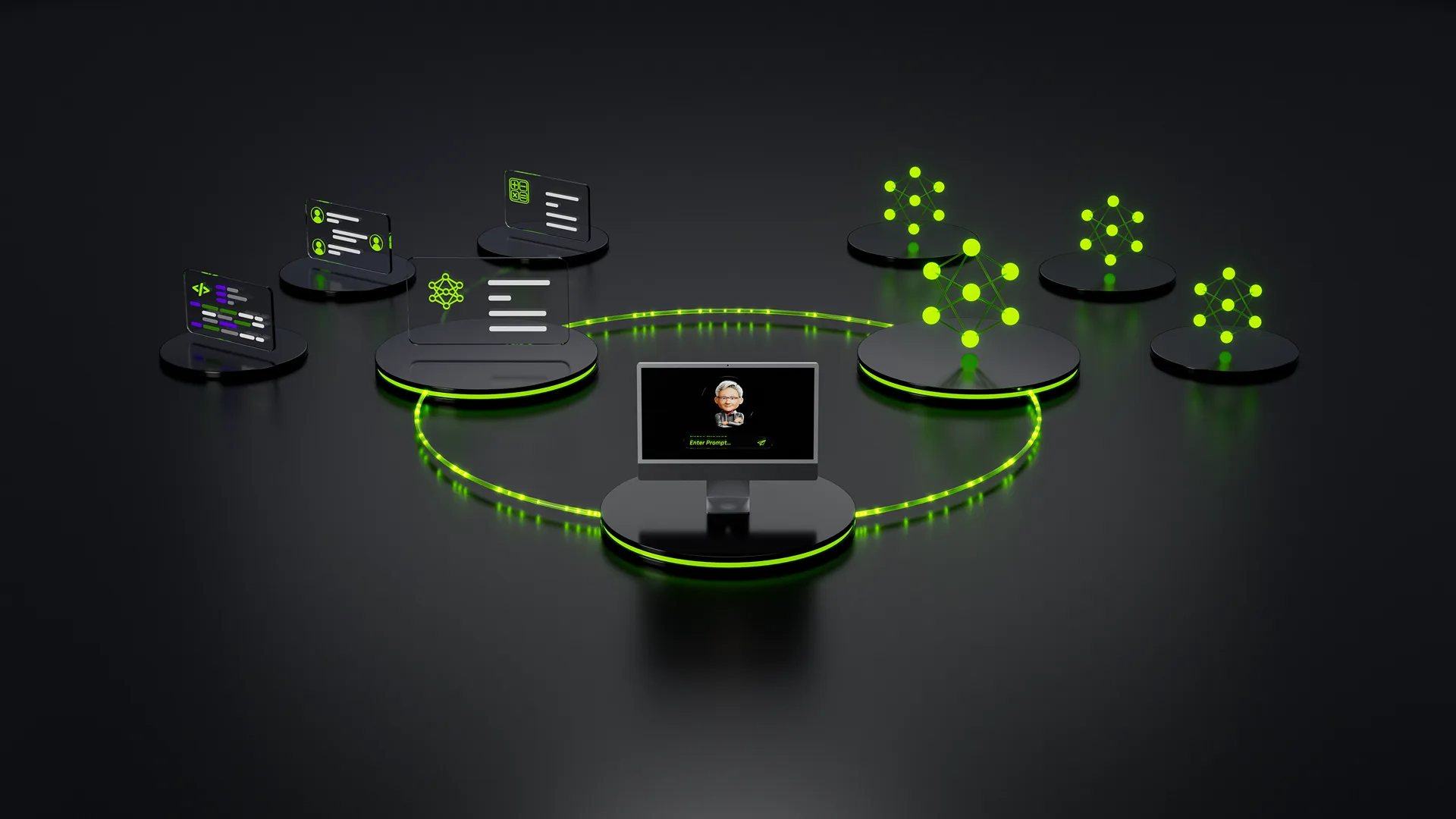
Building an autonomous AI agent requires stitching together three distinct technical layers: a reasoning engine, a memory system, and a tool execution environment. Unlike traditional chatbots that simply retrieve information, these components work in a continuous loop to perceive, plan, and act on behalf of the user.
The LLM Brain
The large language model serves as the agent’s reasoning core. It interprets natural language instructions, breaks them down into sub-tasks, and decides which actions to take next. This is not just pattern matching; it is active planning. For example, if a user asks to "book a flight to London for next Tuesday," the LLM brain parses the intent, identifies missing constraints (like budget or airline preference), and determines the sequence of tool calls needed to complete the task.
Memory Systems
Autonomy requires context. Short-term memory (context window) holds the immediate conversation state, while long-term memory stores persistent information like user preferences, past interactions, or business rules. Without this layer, the agent would forget who it is talking to or what it was trying to accomplish in previous steps. Vector databases are commonly used to store and retrieve relevant past interactions or documents, allowing the agent to "remember" details from earlier in a multi-day workflow.
Tool Execution Environments
An agent is only as useful as its ability to interact with the outside world. This component provides the interface for the agent to call APIs, run code, or update databases. Instead of just telling you the weather, the agent can actually schedule a meeting based on that weather data. This requires defining structured schemas for each tool so the LLM knows exactly what parameters to pass and how to interpret the results. A simple agent loop might look like this:

The agent receives a user goal, such as "Update the CRM with these new leads."

The LLM brain breaks this down: read CSV, parse rows, check for duplicates, insert new records.
The tool execution environment calls the CRM API with structured JSON data.
The agent reviews the API response. If successful, it reports back. If it fails, it retries or asks for help.
Code Structure
Here is a simplified example of how a tool definition might look in Python, using a standard agent framework. This structure ensures the LLM knows exactly what inputs are required and what output format to expect.
By separating these concerns—reasoning, memory, and action—you create a modular system that is easier to debug, secure, and scale. Each component can be updated independently without breaking the entire agent architecture.
Step-by-step agent development workflow
Build Autonomous AI Agents That Act Without You works best as a clear sequence: define the constraint, compare the realistic options, test the tradeoff, and choose the path with the fewest hidden costs. That order keeps the advice usable instead of decorative. After each step, pause long enough to check whether the recommendation still fits the reader's actual situation. If it depends on perfect timing, unusual access, or a best-case budget, include a simpler fallback.

Choosing the Right Agent Framework
Selecting a framework depends on whether you need simple sequential chains or complex, multi-agent collaboration. LangChain, AutoGen, and CrewAI serve different architectural needs, so the best choice hinges on your specific implementation goals.
LangChain remains the industry standard for building modular agent components. It excels at integrating with external data sources and tools, making it ideal for agents that need to retrieve information or update databases. However, its extensive flexibility can introduce complexity when orchestrating multiple agents.
AutoGen focuses on conversable agents that communicate with each other to solve tasks. This framework is particularly effective for scenarios requiring debate, code generation, or multi-step problem solving where agents need to critique or refine each other's outputs. It is less suited for simple, linear workflows.
CrewAI structures agents around roles, processes, and tasks, mimicking a human team dynamic. It is designed for collaborative workflows where agents have distinct responsibilities, such as one researching and another writing. This makes it easier to manage complex tasks like content generation or research analysis without deep architectural overhead.
| Framework | Complexity | Multi-Agent Support | Best Use Case |
|---|---|---|---|
| LangChain | Moderate | Basic | Tool integration and data retrieval |
| AutoGen | High | Advanced | Conversational problem solving |
| CrewAI | Low | Structured | Role-based task delegation |
Common pitfalls in agent design
Even with robust orchestration, autonomous agents frequently stumble on reliability. The most pervasive failure is the infinite loop, where an agent gets stuck retrying a failed tool call or re-evaluating the same step without progress. This often happens when the agent lacks a clear success condition or when the underlying model misinterprets a partial error as a signal to try again with slightly different parameters.
Hallucination in tool use is another critical risk. An agent might confidently call a function with incorrect arguments, such as passing a string where an integer is expected, or inventing a customer ID that doesn't exist. Unlike standard text generation, these errors have tangible consequences in production systems, potentially updating the wrong records in a CRM or booking flights for the wrong dates.
Without strict guardrails, agents can drift from their intended scope. A customer support agent might start making unauthorized refunds or accessing sensitive user data outside its permission boundary. Implementing rigid permission scopes and output validation layers is essential to prevent these autonomous behaviors from causing operational damage.
autonomous agent pre-flight checklist
Before handing over control, run this checklist to ensure your agent can handle real-world tasks like booking flights or updating CRM records without causing chaos.
-
Clear Objectives: Define specific goals. The agent must know exactly what "success" looks like.
-
Guardrails: Set hard limits on actions and data access to prevent unintended consequences.
-
Human-in-the-Loop: Establish checkpoints for high-stakes decisions or errors.
-
Monitoring: Implement logging to track agent reasoning and actions for debugging.
-
Fallback Plan: Ensure the agent can gracefully stop and alert you if it gets stuck.
No comments yet. Be the first to share your thoughts!